
ajmfmdfeemjiekcmfgeoifpmomgjcfki
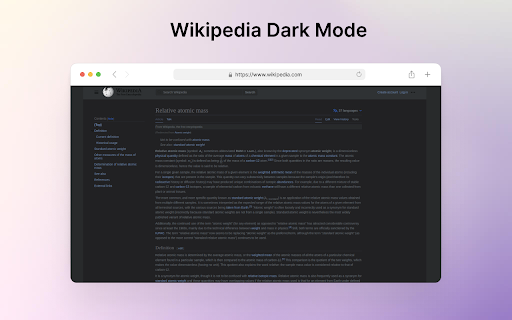
Enjoy reading Wikipedia with a comfortable dark mode theme. Simple Chrome extension that converts Wikipedia pages into a dark mode theme, making it more comfortable for long-term reading. The extension is designed to improve readability and reduce eye strain.

Simple History
A small extension to manage your chrome history.

Auto Bookmark
Keeps a pinned bookmarks page open to prevent the browser window from closing when the last tab is closed. [Overview] A simple extension designed to prevent browser windows from accidentally closing when you close your tabs. ・Automatic Pinning: Automatically opens and pins the bookmarks page (or favorites page) at the far left of every normal window. ・Prevent Window Closure: Even if you close the last active tab, the pinned bookmarks page remains open, preventing the entire window from closing. ・Duplicate Cleanup: If multiple bookmarks pages accidentally open, it automatically cleans them up and keeps just one. The extension monitors tab states in the background to ensure that at least one pinned bookmarks page is always safely maintained.

Date picker/Seleccionar fechas dd/mm/yyyy
Allows you to select dates between slashes with a double click/Permite seleccionar fechas entre barras con un doble clic. The "Date picker" extension allows the user to easily select a complete date by double-clicking on it. This extension is very useful in cases where multiple dates or date ranges need to be selected on a web page, such as in calendars or schedules. With this extension, the user can simply double-click on any date on a web page, and the complete date will be automatically selected. Additionally, the extension also allows customization of date format and language to fit the user's preferences. With "Date picker", you will save time and effort when selecting complete dates on the web. New features and updates in coming...

Bookmarks Hub
Organize your bookmarks with tabs, search and many themes. Free cloud sync service. Bookmarks Hub. Organize your favorite websites, manage bookmarks efficiently, and access everything you need in just one click — every time you open a new tab. Bookmarks Hub turns your Chrome new tab into a smart bookmark manager and speed dial, designed for productivity, focus, and simplicity. 🔖 Custom Bookmarks & Shortcuts Add unlimited bookmarks to any website with custom names and icons for quick recognition. 📂 Organized Tabs & Categories Group your bookmarks into themed tabs like Work, Study, Personal, or Entertainment for a cleaner and more productive workflow. 🎨 Clean, Modern & Lightweight Design A minimalist Chrome new tab experience that loads fast and keeps you focused. ✏️ Quick & Easy Editing Rename, move, or remove bookmarks in seconds — total control with zero friction. 🔒 Local Storage & Privacy-Friendly Your bookmarks are saved locally in your browser. No accounts, no tracking, no cloud required. Stop wasting time opening the same websites every day. With Bookmarks Hub, your new tab becomes a centralized productivity hub for bookmarks, shortcuts, and daily tools — fast, organized, and always one click away. Perfect for users who want a better Chrome bookmarks experience, a custom new tab page, or a modern alternative to traditional bookmark bars and speed dial extensions.
