
ajfajdcomligokjlpkbaadcehedgmaia

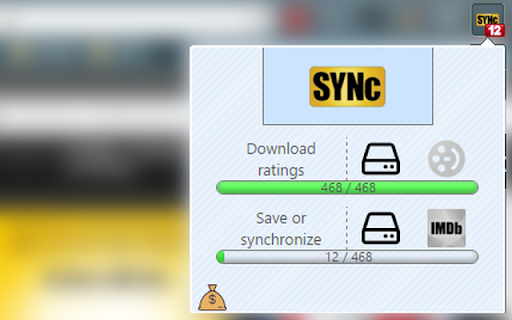
Allows to automatically rate IMDb. movies, series and games with ratings collected from .json file or from Filmweb page. Whole process takes about three seconds for one rating. Synchronize 100 movies in five minutes by clicking two buttons! Even if you don't use Filmweb page, you can export movie ratings from your favourite page, edit it to .json format and synchronize with IMDb. -- UPDATE 2022.08.17 1. Adjusted to new Filmweb layout: lazy-loading 2. Adjusted to new Chrome Extension manifest 3. Added ranking date -- UPDATE 2019.03.22 1. Adjusted to new Filmweb layout and Chrome API 2. Progress bar now - as before - shows number of ratings downloaded/synchronized -- UPDATE 2018.01.03 1. Added "year" of a movie/series/game 2. New API with higher requests limit -- UPDATE 2018.01.02 1. Major bug fixes 2. Now synchronize also series and games! 3. Different API for finding movies, series and games 4. Small improvements

AlleRadar: Allegro Helper
Price history, alerts, offer filtering, search for not promoted, seller blacklist, notes on Allegro.pl AlleRadar is designed to make browsing Allegro.pl easier and help you find the offers you’re actually interested in - faster and with less clutter. Price history chart View the price history of an offer (if available). When you’re on an offer page, click the icon on the right side of the screen to see the price history displayed as a chart. The more popular an offer is, the more likely there will be price history available for it. Notes & Favorites Add your own notes about an offer or product directly from the offer page panel. The offer will then be saved to your Favorites inside the extension. Price alerts Set a target price and get notified when the price drops to your chosen level. Notifications are available: * Inside the extension * As system notifications (with permission) Prices of favorite offers are checked once per day. All notes, favorites, and price alerts are available in the “Favorites” tab in the extension popup. Skip “promoted products,” which can sometimes dominate the results. You can: * Automatically switch to non-promoted results at the start of every search * Add a button in the extension popup or directly on the Allegro page Keyword-based filtering Hide offers that: * Contain specific words in the title * Do not contain required words Filtering is case-insensitive. The extension hides offers that contain any banned words and those that do not contain at least one required word. Seller blacklist Create a blacklist of sellers whose offers will never be shown. You can quickly add a seller by right-clicking on an offer page and selecting “Add seller to blacklist,” or manually by using their login from the URL: allegro.pl/uzytkownik/ Filter by product rating Hide products with an average rating within a selected range (e.g., below 4.95). Hide sponsored and promoted listings Clean up product prices Removes green coloring, “GREAT PRICE” labels, and “Lowest Price Guarantee” information from prices. Allegro groups offers by product. If one seller promotes a product, hiding sponsored listings may hide all offers for that product - even non-sponsored ones. If a product you’re looking for is missing, try disabling this filter. What does "hiding offers" mean? If 60 offers would normally appear on a page, the extension simply removes those that do not meet your filters. It does not automatically fill the page with offers from later pages. This means fewer visible results per page. You can move to the next page manually or use automatic searching. If something doesn’t work or you’d like to suggest a new feature, please contact us via the Help section. This extension and its developer are not affiliated with Allegro.pl in any way.

IMDB Ratings Viewer
If you are a movie freak, a day won't pass when you won't open an actor's page and find more movies to watch. The actor's page has the list of all the movies in which he acted but for some reason IMDb doesn't show the movie ratings. I feel to lazy to open each links and watch the rating. So, I wrote this extension to ease up the process. The ratings of movies are shown beside the names of the movies and after installing there will not be any need to open movie's link in new tab just to watch the rating.

Right-Click Search IMDb
Quickly search for highlighted text on IMDb via right-click This simple extension adds an IMDb search for any text you highlight to the right-click menu. If you see a name that you want to look up on IMDb, just highlight the name, right click, and select "Search IMDb for " on the menu. The search executes in a new tab by default or in the same tab or a new window depending on a user's settings. Saving this setting requires the storage access permission. The extension is tiny and takes very little memory. To keep it small, there are limited options. The extension "Right-Click Search IMDbPro" is available if you want to search IMDbPro (requires IMDbPro account). Install both if you want both search options.

Show IMDB ratings
Ratings 7.5 and above are shown in red.
