
agpjllgcceliiblmebkbiccaaldfedbc
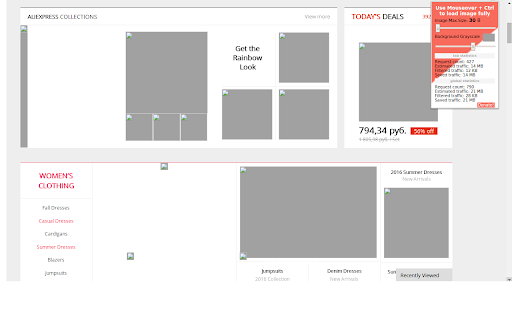


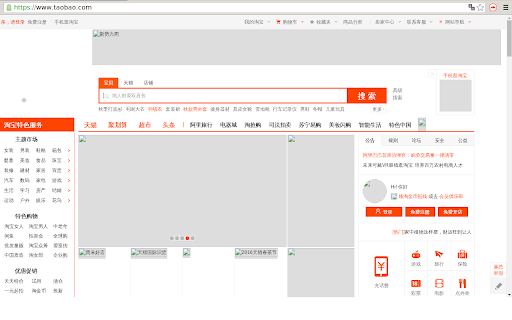

A browser extension for limit loading of the images by data size or quality to save bandwidth. At first, don't forget to set a limit mode and value in the Options of the extension. Use Ctrl + mouse move over image for load the original instance. Note that, a host settings (limit mode and value) restores after browser reloading, but the on/off states of tabs does't. If you want to see only small images(like icons) but cut off the big, then set image data size between 1K - 5K. 1.On some sites the image fully loading(Ctrl + Mouseover) not working well. It depends on how site was built. I have fixed many issues but I guess that is not all. 2.On some sites a limitation of the image data size is not working. Images loads fully. It happens when a server ignores specific parameter in the request. 2.1 - Fix showing on popup host without ".tld". - All net request rules are session now to fixed order of execution. - Fix reload original image after the first load error. All the best!

Text Blurrer
Blur text/keywords you specified in web pages. When you need to stream or record using your web browser, you can hide your sensitive information i.e. email, account name, address etc by blurring. You can use regular expression to blur keywords by enabling `Use Regular Expression` button. And if you want to switch the blur mode between `case sensitive` and `case insensitive`, you can use `Match Case` button. If you face an issue with this extension, please provide information and reproducing steps on the following page.

GIF Blocker
Block GIF and WebP animation images on HTML pages to reduce bandwidth and resource usage This extension blocks animated images (*.GIF and *.WebP formats by default) to save bandwidth usage and improve page loading performance. The extension can get enabled or disabled from the action button. Once the extension is enabled, no animated resource is fetched from the internet. Instead, the remote image is replaced by a local alternative. When blocking mode is enabled, the user can still selectively load blocked images from the right-click context menu over the image context. How does it work: This extension redirects all the animated image requests to the local SVG image. This way, there is no server request at all (not even the HEAD request). Features: You can unblock an image from right-click context menu. The unblocking stays for this browser session. Or until the extension is disabled by pressing the toolbar button. Reduce bandwidth usage significantly by preventing any animated image loading. Animated images use a large amount of bandwidth compared to normal images. Optionally disable the extension for WebP or GIF image format. Optionally block video elements from auto-playing Optionally block CSS animation

QuickBlock
This extension allows you to temporarily block images and scripts. QuickBlock is made up of two content blockers (an image blocker and a script blocker) that can be turned on and off separately. Each content blocker internally uses your browser's built-in content blocker that targets the same content type to block contents efficiently. For example, if you turn on the image blocker, it temporarily takes control of the built-in image blocker to block images for all websites. And if you turn it off, the built-in image blocker is restored to its original settings. You can turn content blockers on and off using: For more information, see "QuickBlock User Guide" (click "Website" on the right side of this page).

Image Blocker
An extension that simplifies browsing by letting you easily hide or show images with a single click. Image Blocker is a powerful Chrome extension designed to enhance your browsing experience by giving you control over the display of images on web pages, providing you with a cleaner and distraction-free browsing environment. 1. Works Everywhere: Whether you're browsing social media sites like Instagram, Twitter, Reddit, Facebook, watching videos on YouTube or reading a blog, Image Blocker seamlessly integrates with every web page. 2. Reduce Distractions: Say goodbye to distracting images with a simple click. Image Blocker lets you hide images effortlessly, allowing you to focus on what matters most. 3. Conserve Bandwidth: By blocking unnecessary images, Image Blocker helps conserve bandwidth, ensuring faster page loading times and smoother browsing sessions. 4. Protect Your Privacy: Maintain your privacy while browsing online. Image Blocker allows you to hide images that may contain sensitive content, giving you peace of mind as you explore the web. 5. Customized Experience: With Image Blocker, you can tailor your browsing experience to suit your preferences. Hide images by default or choose to reveal them as needed, creating a personalized and enjoyable online environment.
