
agcmemnhmffojajaaoloemjndnbijmam

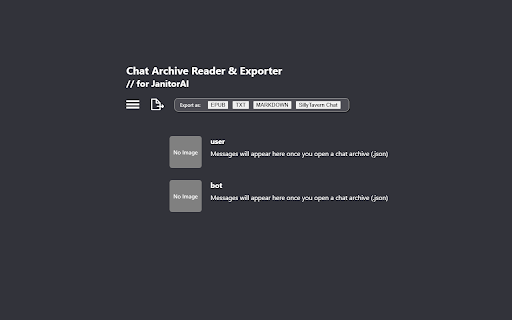
Add export buttons on JanitorAI. Download chats, read offline and export as epub, txt, md & SillyTavern chat in a single click. Are you looking for the missing export chat buttons on JanitorAI? Are you tired of using complicated methods to save or archive your favorite JanitorAI chats? This tool makes it easy! Key Features: ★ One-Click Download & Export Buttons on JanitorAI chat page Directly integrated into the JanitorAI chat page, you can now download & export your favorite chats instantly — no more tedious processes or missed messages! ★ Export in Multiple Formats EPUB — Preserves the original style and formatting for smooth reading experience on eReaders & apps. Works best with Lithium, PocketBook & Reasily apps. TXT & Markdown — Neatly structured for easy editing and sharing. SillyTavern Chat Format (JSONL) — Effortless import into SillyTavern. JSON — Raw chat data, ideal for simple backups. ★ Offline Chat Reader Access and read your archived JanitorAI chats locally without internet Why install it? ✓ Simplifies Chat Management Say goodbye to copying, pasting, unreliable tools, or tedious screenshotting. This extension ensures no messages are lost! ✓ Super Easy and Time-Saving With download and export buttons directly on JanitorAI chat page, saving your chats takes just a single click ✓ Read Anywhere, Anytime Exported files are compatible with browsers and eReader apps, letting you revisit your chats the way you prefer. ✓ Preserves Original Formatting EPUB files retain the exact style and layout of your JanitorAI chats for an authentic reading experience. ✓ Perfect for Archiving & Long-Term Storage Keep your chats safe and neatly organized for personal keepsakes, references, or sharing. -------------------------------------- 💡How to use the extension? 📖 If you want to open the Archive Reader ➡️ Option 1: Pin the extension to your toolbar for easy access and click the icon ➡️ Option 2: Click the "Open Chat Archive Reader" button on JanitorAI chat page 🗂️ If you want to read archived chats using the built-in archive reader in this extension: ➡️ On your JanitorAI chat page, click the "Download Chat Archive (.json)" button ➡️ Then import this .json file into the reader provided by the extension. 📦 If you want to import chats (.jsonl file) into SillyTavern: ➡️ First, make sure the character is already imported into SillyTavern. *This step needs to be done manually.* ➡️ Then, on the JanitorAI chat page, click Export As > SillyTavern Chat to download a .jsonl file. ➡️ In SillyTavern, open character menu and click on your imported character, click View Chat History > Import Chat, and choose the .jsonl file you just downloaded. For detailed instructions on how to import a chat, please kindly refer to the official SillyTavern documentation. 📚 If you want to export chats as .epub / .md / .txt / SillyTavern chat format (.jsonl) ➡️ Option 1: Using export buttons available on JanitorAI chat page ➡️ Option 2: Using the archive reader

AI Exporter: Save ChatGPT, Gemini to PDF, Word, MD and Notion
Export ChatGPT, Claude, Gemini and NotebookLM chats to PDF/Word/Markdown/Txt. Supports content selection, and Notion sync, download. 📌 Introduction Want to save your AI conversations forever? AI Exporter is a professional browser extension supporting 10+ major platforms including ChatGPT, Gemini, Claude, and NotebookLM. With just one click, export your AI chats perfectly to PDF (Latex supported), Word, Markdown (MD), JSON, Image, or sync directly to Notion. Never worry about losing your chat history again. Archive, share, and edit your AI knowledge assets with ease. 🔥 Popular Features 🆕 Precise Timestamps: Automatically extracts and displays the exact creation time of each session, making your history fully traceable for better timeline management. 🆕 Super-Long Chat Export: Engineered to handle massive conversations effortlessly without crashing or truncating, ensuring every detail of your deep dives is captured. 🆕 Accurate Model Versioning: Displays the specific AI model version used in each session (e.g., Gemini 3 Pro, ChatGPT 2.5 thinking) in exported docs, making academic research and sourcing more rigorous. 🆕 Cross-Platform Collection: Sidebar mode lets you save chats locally with one click for multi-model comparison and merged exports. 🆕 Deep Research Export: Full support for downloading content from ChatGPT Deep Research and Gemini Deep Research modes. 🆕 Stylish Templates: Choose from Highlight, Dark, Note, and other beautiful templates for a professional look. 🆕 Extensive Compatibility: Supports 10+ sites, including DeepSeek, Perplexity, Copilot, Google AI Studio, and more. ✨ Powerful Export Experience ✅ Perfect PDF Layout: Automatically handles Latex formulas and code highlighting while maintaining the native UI feel. ✅ Sync to Notion: Seamlessly bridge AI and your knowledge base by turning chats into Notion pages instantly. ✅ Flexible Selection: Skip the fluff—select only what you need with multi-selection support. ✅ Image & Text Preservation: Perfectly retains images and charts; supports generating long-image sharing cards. ✅ Local Knowledge Base: Save important AI inspirations to a local database for instant offline preview. ✅ Search Overviews Backup: One-click backup for Google Search AI Overviews results. 📌 Why Choose AI Exporter? 👨💻 Community Focused: We listen to user feedback with frequent updates for a reliable experience. 🎓 Academic Friendly: Precisely identify and export academic discussions with complex Latex formulas. 👨💻 Dev Empowered: Export Markdown with one click; code snippets can be seamlessly integrated into your docs. 📊 Knowledge Accumulation: Quickly backup data analysis and reports to build your personal AI think tank. 📢 Preserve Inspiration: Save full image-text chats as beautifully formatted PDFs for easy sharing. 🌟 Install for free now and give your AI assets a permanent home!

ChatGPT, Gemini, Claude Chat Export & Navigator
Download and export ChatGPT, Gemini, and Claude conversations in PDF, Markdown, JSON, HTML, or Text, plus smart prompt navigation. Navigate and Export Long AI Chats Easily Long conversations in ChatGPT, Gemini, and Claude are hard to manage. When chats become long: Scrolling takes a lot of time. Finding old prompts is difficult. Context gets lost. Copying content is slow and messy. This extension helps you navigate and export long AI chats easily. Easy Prompt Navigation See all prompts in one list. Click any prompt to jump to that part of the chat. No more endless scrolling. Export Full Conversations Download complete chats in PDF, Markdown, JSON, HTML, or Plain Text. Useful for notes, documentation, research, and sharing. Works With Multiple AI Tools ChatGPT. Gemini. Claude. Who Is This For Developers. Writers. Researchers. Students. Anyone who uses long AI chats. Why This Extension AI tools give great answers, but navigating long chats is difficult. This extension helps you find information faster, keep context, and reuse conversations. Simple and Lightweight Easy to use. No setup required. Clean and fast. Install the extension and make long AI chats easy to navigate and export.

Export Chat from Gemini to Word
🚀 Export chat from Gemini to Word and turn your AI conversations into clean, fully editable documents with accurate formatting. Perfect for professionals, students, and creators who need to save, edit, or share AI conversations with ease. Whether you're documenting research, preparing reports, or organizing brainstorming sessions, this extension helps you export chat from Gemini to Word with clean structure, reliable formatting, and polished results. 🌟 How you can export chat from Gemini to Word: 🧠 AI-Powered Chat Converter 🔹 Use one click to export chat from Gemini to Word as an editable .docx file 🔹 Preserve formatting, lists, headings, and code blocks 🔹 Get clean document output that is easy to customize and share 💬 Advanced Conversation Management 🔸 Organize Gemini chats by project, topic, or date 🔸 Create searchable archives of AI-generated insights 🔸 Combine multiple conversation threads into one Word document 🔸 Add summaries, notes, and tags for quick reference 🔸 Build a personal knowledge library from your AI conversations ✨ Why this extension stands out Many converter tools turn Gemini chats into static files that are hard to reuse. This extension lets you export chat from Gemini to Word as a fully editable document you can keep working on in Microsoft Word. When you export chat from Gemini to Word, your content stays structured, readable, and ready for editing. It is designed for creators, students, and professionals who want accurate formatting, clean layout, and full control over every Word document. ✍️ Professional Export Features 🔺 Choose from elegant document templates 🔺 Export full Gemini chats or selected sections 🔺 Add highlights, comments, and annotations in an editable document 🔺 Customize headers, footers, and cover pages 🔺 Create professional documents ready to share 🚀 Getting Started 1️⃣ Open your conversation 2️⃣ Click to export chat from Gemini to Word 3️⃣ Download and edit your .docx file instantly 💡 Perfect for Every User: 📚 Students: ✅ Students can export chat from Gemini to Word to save study materials, essays, and class notes in an editable format ✅ Create study guides and summaries you can update anytime ✅ Keep assignment drafts and feedback in one place ✅ Track academic work over time ✅ Build your own AI-powered study library 💼 Professionals: ✅ Professionals can export chat from Gemini to Word to document project discussions, client ideas, and meeting notes more clearly ✅ Create polished reports directly in Microsoft .doc format ✅ Convert AI-generated technical documentation ✅ Keep working files organized and easy to review ✅ Prepare documentation for internal or official use 🎨 Creators and Writers: ✅ Creators can export chat from Gemini to Word to turn outlines, brainstorming sessions, and drafts into editable working documents ✅ Keep dialogue, inspiration, and notes in one place ✅ Revise content more easily in .doc format ✅ Share drafts with editors and collaborators ✅ Build an archive of your creative process 🔬 Researchers and Academics: ✅ Researchers can export chat from Gemini to Word to organize planning notes, discussion threads, and working materials in a structured format ✅ Save research notes in editable doc files ✅ Organize references and citations ✅ Create structured research documents ✅ Archive and share findings more effectively ⚡ Performance and Reliability 🚀 Fast processing when you export chat from Gemini to Word 💻 Lightweight performance 📶 Reliable processing 📑 Optimized document formatting 🔒 Security and Privacy ✅ Secure document processing ✅ Data handled only during conversion ✅ No unnecessary storage or retention ✅ Local fallback support when needed ✅ No third-party sharing ✅ Your conversations stay private 🌈 User Experience Enhancements 🔄 Regular updates make it easier to export chat from Gemini to Word with better speed, cleaner formatting, and improved layout accuracy: - New features based on feedback - Faster convert performance - Template improvements - Better layout precision - Security and stability updates 🌍 Turn AI Chats into Usable Knowledge When you export chat from Gemini to Word, your conversations become structured, editable documents you can actually use. Instead of leaving valuable ideas inside conversation history, you can turn them into organized files that are easier to edit, reuse, and share. 🌟 Why users choose this extension People use this extension to export chat from Gemini to Word for school, work, research, and creative projects. It is built for anyone who wants to export chat from Gemini to Word in a format that looks clean, professional, and ready for real work. 📘 Best Practices 1. Organize chats before convert 2. Choose the right document template 3. Add headings and notes after convert 4. Back up important files regularly 5. Use this extension whenever you need to export chat from Gemini to Word with consistent formatting 🔥 Ready to export chat from Gemini to Word? You can export chat from Gemini to Word in seconds and turn conversation history into real working documents. Start using this extension to export chat from Gemini to Word and create editable document files that are easy to review, update, and share.

AI Chat Exporter: Gemini to PDF, MD and more
Export Gemini chats to PDF, Markdown, Text, CSV... Free and fully customizable. AI Chat Exporter: Gemini to PDF, MD and more lets you save your conversations with Gemini AI to your computer. Export Gemini to PDF, Markdown, Text, CSV, or JSON files with just a couple of clicks. Looking for an easy way to save Gemini conversations as PDF? With AI Chat Exporter, you can export Gemini chats and refer back to them whenever you need! ## Main Features 💼 ### Multiple File Formats 📋 Choose the format that works best for you: - PDF - Convert Gemini to PDF, perfect for printing or sharing with others - Markdown - Great for editing in note-taking apps - Text - Simple and works everywhere - CSV - Useful for data analysis - JSON - Ideal for developers or data processing ### Customization Options ⚙️ Make your exports look exactly how you want: - Choose which messages to export - Include or exclude timestamps(created, updated, exported) - Adjust Date & Time format - More settings for PDF: - File name & Content title - Light or dark theme - Page format (A4, Letter, etc. Portrait or Landscape) - Page margin - Font size - Table of content - User info (name & email) - Include page numbers - Customize footer (page number) - Include Thinking process - Page break for each conversation turn ### Complete Content Support 🧩 AI Chat Exporter captures everything in your conversations: - Regular text messages - Code blocks with proper formatting - Math formulas - Tables and charts - Thinking Process displays ### Easy to Use 👍 Save Gemini to PDF in just 2 clicks! No complicated settings or steps required unless you want to customize. ## How to Export Gemini to PDF & More 🔍 1. Install the extension from the Chrome Web Store 2. Visit Gemini's website and have a conversation 3. The export button displays next to your input field 3. Click "Select" and choose which parts of the conversation you want to export 4. Choose your export format (PDF, Markdown, Text, CSV, or JSON) 5. Click "Export" and your file will download automatically That's it! Your Gemini conversation is now saved as a PDF or any format you chose. ## Privacy First Approach 🔒 We take your privacy seriously. AI Chat Exporter: - Doesn't access your data for any purpose other than exporting - Never save, share or analyze your conversation data Your conversations stay between you and your computer - exactly how it should be! ## Pricing and Free Usage 💰 AI Chat Exporter offers generous free usage: - **PDF Exports**: 3 free exports per day - **All Other Formats** (Markdown, Text, CSV, JSON): Unlimited and permanently free! We offer PRO plans for users who need more PDF exports. All other export formats remain free forever, no subscription required. ## Frequently Asked Questions ❓ ### Is AI Chat Exporter free? Yes! AI Chat Exporter offers free usage for all export formats. PDF exports are free 3 times per day, while Markdown, Text, CSV, and JSON exports are completely free with no limits. We offer PRO plans for users who need more PDF exports. ### Do I need an account to start using AI Chat Exporter? No account needed! Just install the extension and start exporting. ### Will AI Chat Exporter work with other AI chat tools? Currently, AI Chat Exporter works specifically with Gemini AI. Support for other platforms may be added in the future. ### Will my formatting be preserved when I export Gemini to PDF? Yes! We work hard to maintain formatting, including code blocks, tables, and special outputs. ### Is there a limit to how long a conversation I can export? There's no set limit, but very long conversations may take longer to process, especially for PDF exports. ### Can I customize how my exports look? Absolutely! Check out the Customization Options section for details. ### Does AI Chat Exporter work with the latest version of Gemini? Yes! We regularly update the extension to ensure compatibility with the latest Gemini features. ## Support and Contact 📞 Have questions, suggestions, or found a bug? We'd love to hear from you! - Email: support@ai-chat-exporter.com
