
agchcjkheangfiopepndmenabbaopnpp
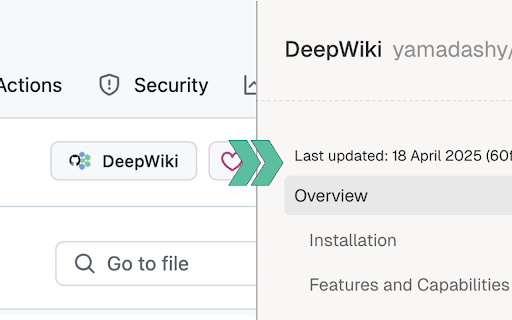
This browser extension adds a convenient "DeepWiki" button to GitHub repository pages, allowing you to quickly access the repository's documentation on DeepWiki. 🛠️ Features: - Seamlessly integrates with GitHub's interface - One-click access to DeepWiki for any GitHub repository - Clean and minimal design following GitHub's UI patterns - Works on all GitHub repository pages 🚀 How to Use: 1. Install the extension 2. Navigate to any GitHub repository 3. Click the "Open in DeepWiki" button in the repository header 4. You'll be redirected to the corresponding DeepWiki page ⚠️ Note: This is an unofficial extension and is not affiliated with GitHub or DeepWiki. It simply provides a convenient way to navigate between GitHub repositories and their corresponding DeepWiki pages. 🔒 Privacy: - No data collection - No tracking - No authentication required - Only requires access to github.com to add the button 💻 The source code is also available, and you can build and install it yourself. For more details, please visit: https://github.com/yamadashy/github-deepwiki

SimRepo
Adds a "similar repositories" section in the sidebar of GitHub repositories. Discover more of what you love on GitHub. This extension adds a “Similar repositories” section to the sidebar of any public GitHub repository with more than 100 stars. Instantly discover related open-source projects without leaving the page.

GitHub Recommender
Get similar repositories on GitHub page

GitHub Code Wiki Button (Unofficial)
This browser extension adds a convenient "Code Wiki" button to GitHub repository pages, allowing you to quickly access the repository's documentation on Google's Code Wiki. 🛠️ Features: - Seamlessly integrates with GitHub's interface - One-click access to Code Wiki for any GitHub repository - Clean and minimal design following GitHub's UI patterns - Works on all GitHub repository pages 🚀 How to Use: 1. Install the extension 2. Navigate to any GitHub repository 3. Click the "Code Wiki" button in the repository header 4. You'll be redirected to the corresponding Code Wiki page ⚠️ Note: This is an unofficial extension and is not affiliated with GitHub or Google. It simply provides a convenient way to navigate between GitHub repositories and their corresponding Code Wiki pages. 🔒 Privacy: - No data collection - No tracking - No authentication required - Only requires access to github.com to add the button 💻 The source code is also available, and you can build and install it yourself. For more details, please visit: https://github.com/yamadashy/github-code-wiki-button

Repomix
This browser extension adds a convenient "Repomix" button to GitHub repository pages, allowing you to quickly package and analyze repositories with Repomix - a powerful tool that transforms software repositories into AI-friendly single files. 🛠️ Features: - One-click access to Repomix for any GitHub repository - More exciting features coming soon - stay tuned for enhanced functionality! 🚀 How to Use: 1. Install the extension 2. Navigate to any GitHub repository 3. Click the "Repomix" button in the repository header 4. You'll be redirected to Repomix web interface 5. Generate a packaged version of the repository for AI analysis ✨ What is Repomix? Repomix is an innovative tool that packages your entire codebase into a single, comprehensive file optimized for AI analysis. It supports multiple output formats (XML, Markdown, Plain text), includes security checks to exclude sensitive information, and provides detailed metrics about your code. 💻 Open Source: Both this extension and Repomix itself are open source projects. You can view the source code, contribute, or build the extension yourself. For more details, please visit: https://github.com/yamadashy/repomix
