
aelkipgppclpfimeamgmlonimflbhlgf
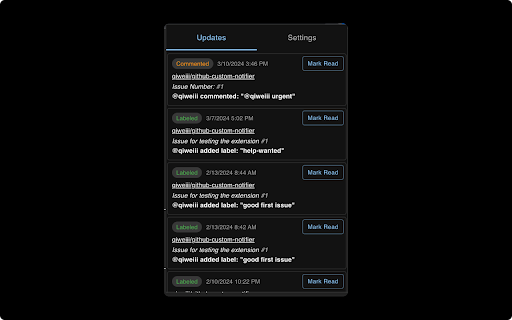
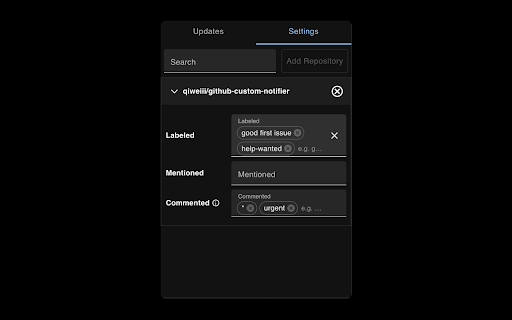
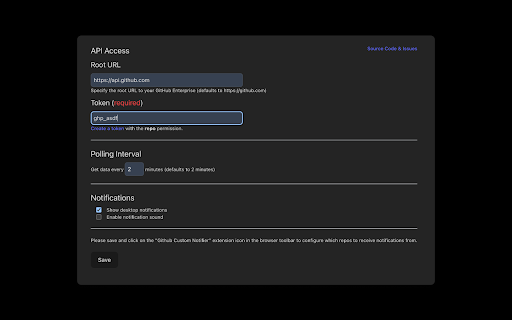
> Too many unwanted GitHub issue or PR notifications? Want more precise notifications? This web extension allows you to customize which GitHub Event to be notified. Use cases: - Get notified on specific labels: "good first issues", "help-wanted", "bug", "feature-xyz", etc. - Get notified when someone mentions "@username" in the issue or PR, not just yourself. - Get notified only when comment matched specific keywords, even from the ones you are not participating. - and more... This is an open source project: github-custom-notifier, you can find it on GitHub and fire some issues if you meet any bugs or have any feature requests!

Add to Benevolist.org Button
Benevolist.org extension simplifies the donation process to help increase the number donations for all your item collection drives. Add items from top-brand retailers to create the perfect drive for all of your charitable collection drives when you use Benevolist.org. With our “Add to Benevolist.org Button" extension, you can quickly and easily add items from any of our merchant partners (Walmart, The Home Depot and Target) to your drives on Benevolist.org. Streamline your charitable food, toy, clothing drives and more, while easily tracking the progress as your donors purchase much-needed items. You’ll be amazed at how Benevolist.org helps make your work so much easier and more efficient. And your donors will love contributing to the success of all your charitable donation drives.

GitHub Tweaker
GitHub Tweaker enhance readability of GitHub 'Pull Requests' page by displaying branch sources This extension is for people who tired to hover on Pull Request link each time when need to find out comparing and destination branches New features: • Import/Export branch colors • Choose color on PullRequests page • Dark theme on Options page

Fast String Converter
Convert a string's format with only one click. This extension is a tool that can execute some common string transformation functions, such as case alternation or the replacement of spaces with underscores. Some of these functions are the same that can be found in word processors like Microsoft Word, and some others can be really useful specially in programming contexts. This extension has been created with the goal of performing these transformations with as few clicks as possible, making this process the quickest it can be. The conversion functions can be executed by clicking on the buttons that are located in the extension's popup, which is shown in the provided screenshot. This contains also two textareas: when the conversion functions are executed the text that is taken to be transformed is the one that is contained in the upper textarea in that moment. Its content is overwritten with the result of the transformation and the lower textarea then displays the text as it was before the conversion. This operation can be observed in the linked video (https://youtu.be/39m2CgqbQRg).

GitHub Save
If you ever wanted to save inidividual files from a GitHub repository that piqued your interest, this extension is for you. GitHub Save is a web extension designed to enhance your GitHub experience by providing a seamless way to save individual repository files. Whether you're a developer or a researcher, GitHub Save helps you curate and organize essential files with ease. With GitHub Save, saving specific files from a GitHub repository is a breeze. No more downloading entire repositories or searching through lengthy codebases—simply save the files you need with a few clicks. GitHub Save seamlessly integrates into popular web browsers, ensuring compatibility across various platforms and operating systems. Whether you use Chrome or Firefox, GitHub Save is ready to optimize your GitHub GitHub Save features a clean and user-friendly interface, making it accessible to users of all technical backgrounds. No complicated configurations or setups required—start saving files right away. Upgrade your GitHub workflow today with GitHub Save and take control of saving and organizing your repository files. Simplify your GitHub experience, streamline your workflow, and make file management a breeze.
