
adclcmodpeeklopaodeecllejlhadjom

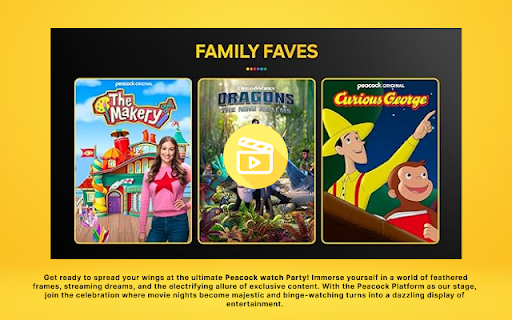

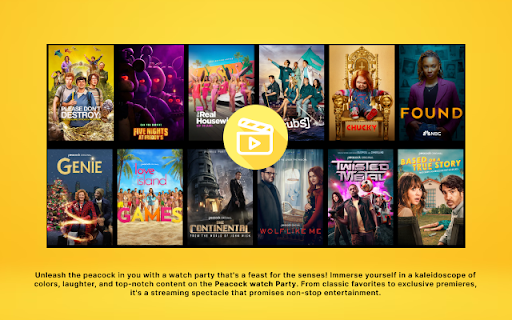
Watch Peacock TV in sync with friends Transform your Peacock Watch Party viewing into a shared experience with our Chrome extension. Watch Peacock Watch Party content simultaneously with friends and family, chat in real-time, and even video chat while you enjoy your favorite shows and movies. Our user-friendly extension is free to use and ensures a secure, synchronized, and immersive watching experience, making it easier than ever to connect with loved ones over your favorite content.

Amazon™ Bulk Shipping Automation
Allows Amazon FBM sellers to bulk ship orders and change the shipping option for all orders in that batch with one click. This extension allows Amazon FBM sellers to group bulk ship orders in one shipping process so you no longer need to check each order one by one. Also this will allow you to ship up to 100 orders in under 5 minutes. Simply check the order item you want to work on scroll up and click "select all" and the extension will find every order for that specific item. If you check an order with a quantity of one it will only locate the orders with one, if you have orders with multiples it will only locate those orders. Our Amazon bulk shipping automation tool allows you to ship your FBM orders in a fast and more efficient way. We believe by creating this powerful shipping extension this will allow your business to allocate more time towards product research which will help your bottom line versus spending unnecessary time on shipping. On the final shipping page we've also created another option that allows you to change all the orders on that shipping page to the same shipping option. Again all you have to do is scroll up the page and you'll find a button that says "make all same shipping" simply click that button and the orders will automatically change to whatever shipping option you selected. I.E USPS FIRST CLASS, UPS GROUND, FEDEX etc. As long as that option is available for that order it will be selected, in the event that shipping option isn't available the extension will automatically default to the cheapest shipping option. We hope you enjoy this extension as much as we enjoyed developing and creating it. Give it a try, we're eager to hear your feedback and ways on how we can improve.

Peacock TV Picture In Picture [QVI]
Extension to watch PeacockTV in Picture in Picture mode. Enables a separate floating window to enjoy your favorite video content. We're thrilled to present the latest update, where we've listened to your feedback and made it happen – introducing the much-anticipated Picture-in-Picture icon with subtitles support! New Picture-in-Picture Icon: Now you can enjoy uninterrupted viewing while diving into other tasks, all with the added bonus of subtitles! Are you looking for a tool to watch PeacockTV in a convenient always-on-top window? You’re in the right place! Focus on other tasks while watching your favorite series. Peacock TV Picture in Picture is perfect for multitasking, having something on in the background, or even working from home (we don’t advise sharing it with your boss though). There’s no need to stack multiple browser tabs anymore or to use other screens, it’s all fixed by this extension. How does it work? Peacock TV Picture in Picture allows you to play video content in a floating window pinned always on top, so you can use the rest of your screen for other tasks. This extension adds an extra control button, which can be found among other viewing options (e.g. full-screen). Just click on it to launch a separate window with the show you’d like to watch and place it wherever you want, whether you're browsing your FB feed or preparing a business presentation. All you need to do is add Peacock TV Picture in Picture extension to your browser and enjoy your favorite series in the background. It's as simple as that! Disclaimer: Peacock TV is a trademark of NBCUniversal Television and Streaming. This website & extension hold no association or affiliation with Peacock TV or any third-party companies. This extension is part of the Quality Viewership Initiative, a collaborative effort to enhance the understanding of audience engagement. It collects anonymous, aggregated viewing insights to support creators and studios in improving the quality of their content. You can stop sharing your information at any time by switching the toggle on the options page.

Wayback Machine Link-Checker
Right-click any link or page to check its Wayback Machine archive. Browse cached snapshots, view the timeline, save pages locally. Wayback Machine Link-Checker is a browser extension that enables you to check if the webarchive - wayback machine as an older version of a link available. Simply right-click on a link and select the "Check Wayback Machine" submenu item. If you like the extention and find it useful - feel free to buy me a coffee and support me: https://bmc.link/gaidamarcel

Tabiola: Manage Tabs, Groups, Windows & Sessions
Tabiola is a tab manager that lets you organize your tabs and tab groups in sessions and spaces with a lot of useful features. Tabiola is the ultimate solution for managing your browser tabs efficiently. Whether you're a multitasker juggling numerous projects or a casual browser who values organization, Tabiola helps you to take control of your online workspace. With Tabiola, you can: - Organize Tabs into Sessions: Save and restore your tabs as sessions for different tasks, projects, or browsing moods. - Create Spaces: Group related sessions together for better focus. - Seamlessly Manage Tab Groups: Easily collapse, expand, or move tab groups without losing track. - Search and Navigate: Quickly locate tabs across sessions and spaces using the integrated search feature. - Sync and Backup: Keep your tabs safe and in sync across devices and browsers. - Windows management: You can manage your opened and recently closed windows with ease - Import & Export: Import your data from browser extensions like Workona or Toby - Productivity Boost: Spend less time searching for tabs and more time accomplishing your goals. - Clutter-Free Browsing: Eliminate tab overload and keep your browser neat and organized. - Customizable Workflows: Tailor Tabiola to suit your unique browsing habits and preferences. - Peace of Mind: Save your work and tabs effortlessly, reducing the stress of accidental tab closures. - Take control of your browser and revolutionize the way you work online with Tabiola!
