
adacciecdncgdcmhmfkohcanbiofejco
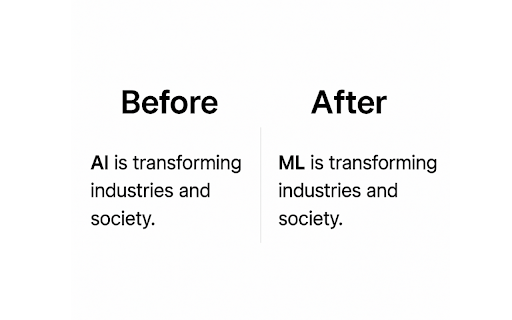
Replaces all occurrences of 'AI' with 'ML' on any website. Sick of all the AI hype? Flip the script! This cheeky little extension swaps every "AI" you see with "ML"—because machine learning deserves the spotlight too. From page titles to popups, it sneaks in and makes the switch without breaking a sweat. No setup, no fuss, just pure ML energy.

no ai pls
Appends "-xx" to Google search queries in order to prevent ai overview from appearing on search pages. "xx" is considered a profane word by google so any searches including it will not include an ai overview. Instead of strictly appending "xx" to searches (which would impact search results), this plugin appends "-xx". The "-" operator removes search results including that phrase but will also prevent the AI overview from appearing.

No AI Overview Block Thingy
Removes the intrusive and often blatantly incorrect "AI" Overview from standard searches. Features: - Deletes the AI Overview box from the top of Google search results - Simple switch to toggle AI Overview blocking - Legacy Mode: Forces all searches to Google's "Web" mode - Now Trademark infringement free!

No AI Mode for Google
Removes Google AI Mode tab and AI Overview section with toggle option. No AI Mode for Google – Remove AI Overview from Search Results Tired of Google’s new AI Overview cluttering your search results? No AI Mode for Google is a simple, privacy-friendly Chrome extension that removes AI-generated answers from Google Search — giving you the classic, distraction-free experience you actually want. Hides the AI Overview section from Google search pages Removes the AI Mode tab and other AI-related interface clutter Lets you toggle the feature ON or OFF anytime with one click Lightweight, fast, and requires no permissions or sign-in When you turn the toggle ON, the extension automatically detects and removes AI Overview elements (including the blue sparkle icons and “AI Overview” header). When you turn it OFF, Google search works as normal — no reload or restart needed. Keeps your Google search results clean and focused Works seamlessly with both light and dark themes Built for users who prefer traditional, non-AI Google results

Gemi-no: Disable AI Overviews
Google Gemini? More like Gemi-no. Disable AI Overview with udm=14 for clean search results. Simple and future-proof. Gemi-no gives you clean, traditional Google search results without AI-generated summaries that can be slow, inaccurate, or distracting. Gemi-no intercepts your searches and adds Google's udm=14 parameter, which tells Google to skip AI Overviews. This is the same method Google uses internally, making it reliable and resistant to breaking changes. There are multiple ways to remove AI Overview. We've tried them all and tested their limits, including how other extensions have attempted a consistent fix. We've noticed a lot of other extensions break when Google updates their search results page, or something as trivial as users using a different language in their browser. Our solution relies heavily on udm=14, with a bunch of custom (yet simple) logic, so that it works every time, without getting in the way of your searches. 🔵 Who it's for ✓ People who want real sources, not AI summaries ✓ Anyone tired of AI hallucinations ✓ Those who want the classic Google Search back 🔵 More information and feedback: Not affiliated with Google. "Google" and "Gemini" are trademarks of Google LLC.
