
abonpieipbodlgcodadpemmhpiiogfla
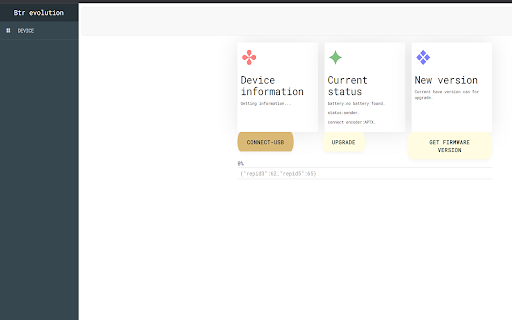
freeconnect for bluetooth device connect to bluetooth devices through web hid, used for advanced UI control, firmware upgrade and etc.

Pixels Roll20 Integration
Connect Pixels dice to Roll20 via Bluetooth with advanced modifier support and seamless integration. Transform your Roll20 sessions with physical Pixels dice! This extension provides seamless Bluetooth integration between your Pixels dice and Roll20, bringing the tactile experience of physical dice rolling to your virtual tabletop. 🎲 Bluetooth Dice Integration • Connect modern and legacy Pixels dice via Bluetooth • Automatic roll detection and Roll20 chat integration • Support for multiple dice simultaneously • Auto-reconnection for reliable gameplay 🎯 Advanced Modifier System • Floating modifier box with custom values • Add/remove modifiers on the fly • Radio button selection for active modifiers • Automatic integration with roll results ⚙️ User-Friendly Interface • Draggable modifier box positioning • Minimizable interface • Session-based settings (no persistent tracking) • Chrome extension popup for quick access How It Works: 1. Install the extension and open Roll20 2. Click the extension icon to connect your Pixels dice 3. Roll your physical dice - results appear automatically in Roll20 chat 4. Use the modifier box to add bonuses/penalties as needed Privacy & Security: • No data collection or external transmission • All processing happens locally on your device • Bluetooth connections are direct and secure • No account registration required Compatibility: • Roll20.net (requires active session) • Modern and legacy Pixels dice • Chrome browser (latest versions) Based on the original open-source project by Olivier Basille and the GameWithPixels team, enhanced with community contributions for improved reliability and features. Note: Requires Pixels dice hardware (sold separately). This extension is not officially affiliated with Roll20 or Pixels but provides integration between the two platforms.

Телефония от CRM Otmechalka через Bluetooth
Всплывающая карточка клиента при входящих звонках, звонки в один клик прямо из CRM. Экономьте на телефонии с CRM Otmechalka.com Расширение предназначено для соединения CRM Otmechalka.com со смартфонами. - При входящем звонке на Ваш смартфон в браузере отображается карточка звонящего клиента с общей информацией по клиенту: лид/посетитель/представитель посетителя, имя, статус клиента, купленные услуги, последние закрытые задачи по клиенту. - Быстрое создание нового клиента в CRM - Звонки в один клик прямо из CRM Отмечалка. Не переплачивайте за услуги виртуальных АТС, теперь виртуальная АТС находится в Вашем кармане!

LagSync - Bluetooth Audio Fix
Fix audio and video delay caused by Bluetooth latency. Sync your sound perfectly on YouTube, Netflix, and more. Fix Bluetooth audio delay on your favorite streaming sites. Bluetooth headphones often suffer from latency, causing the audio to fall out of sync with the video. LagSync is a technical tool designed to fix this by letting you adjust the audio or video offset in real-time. While primarily tested and optimized for YouTube and Netflix, LagSync is built to work on all standard HTML5 video players to ensure a synchronized viewing experience. Main Features: • Real-time sync: Shift the audio offset instantly without refreshing the page. • Broad compatibility: Optimized for YouTube, Netflix, and most other HTML5 video players. • Precision control: Fine-tune the delay in milliseconds for exact synchronization. • Privacy first: No tracking or data collection. All settings stay locally in your browser. • Performance focused: Minimal code that won't slow down your tabs or drain your battery. How it works: 1. Open a video in your browser. 2. Click the LagSync icon in the toolbar. 3. Use the slider or input fields to adjust the offset until the sync is correct. Why LagSync? Most video players lack built-in tools for audio delay compensation. LagSync provides a straightforward, manual solution for users who want their audio and video to match perfectly.

Extra Volume Booster. Increase sound
Boost volume, shape sound with equalizer, effects. Maximize audio loudness on tabs. Control and customize volume levels on your own Are you bothered that your PC doesn't have enough sound volume? Then I believe this Extra Volume Booster - Loud Speaker with Extra Sound is exactly what you need. Extra Volume Booster enhances your music quality in a way more convenient way. It has a simple UI, guaranteeing you can fast to master it just in a few seconds. Features: - Volume Booster is designed for music lovers and users who like loud and clear sound - Volume Booster has a neat, simple user interface - Boost sound for music, video, and game - Boost bass for music, video, and game - Support use with headphone, build-in speaker and Bluetooth speakers - One-swipe to set the volume to a specific level - Fast to adjust the volume to 200%, 300%, 400% and maximum level Various Boost Available: - Music, game, video, call volume boost - Bluetooth speaker, headphone volume amplifier - Control volume for various websites ...... Still finding a great volume booster to improve your music experience? Now you find our perfect Extra Volume Booster - Loud Speaker with Extra Sound and make any extra sound volume as you want. Volume Booster is a little tool that boosts big volume. Download Volume Booster now and increase party mood!
