
abmmcineiaonblhmehimkeneglmcofge
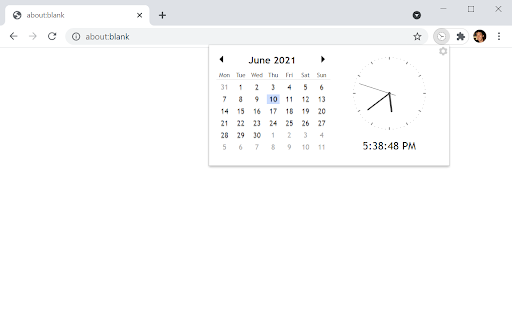
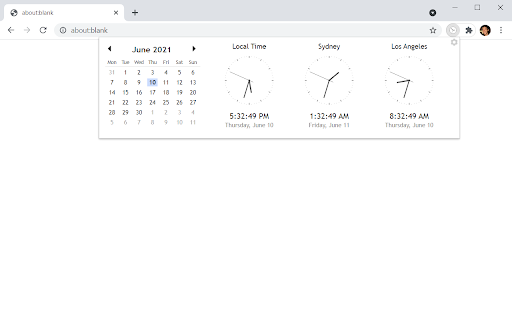


A convenient calendar and clock widget. Same as the Chrome App (https://chrome.google.com/webstore/detail/calendar-clock/galgfocamdohgeifjlbefkfpaalankfi) but turned into an extension since Chrome Apps will be shut down soon.

Calendar Clock
A convenient calendar and clock widget. Version 0.12: - Fixed problem with calendar having only 6 columns. - Changed local time to say "Local Time" instead of the detected time zone (which often doesn't match user's actual location). Since Google is shutting down Chrome Apps soon, I've converted this app into an extension. Please take a look at https://chrome.google.com/webstore/detail/calendar-clock/abmmcineiaonblhmehimkeneglmcofge

DayMark: Year Events Calendar
Year calendar with an ability to highlight custom events such as holidays, vacations, birthdays or other notable days. DayMark: Year Events Calendar | Google™ - Annual calendar with custom events. 🗓️ Full Year Calendar View See your entire year at a glance with a complete annual calendar display. Quickly navigate between months and years to plan ahead or review past events with ease. 🎨 Color-Coded Event Management Create custom events for one or multiple days with personalized color schemes. Easily distinguish between vacations, holidays, work projects, and personal events at a glance. Assign meaningful category names to each color for better organization and tracking. 📊 Event Statistics & Analytics View comprehensive statistics to understand your time allocation patterns. Track how many vacation days you've taken, analyze event distribution by category, and gain insights into your yearly planning with intelligent analytics for each color category. ⚙️ Customizable Display Options Configure week numbers and month numbers for better date referencing. Choose your preferred week start day (Monday or Sunday) to match your regional preferences and workflow needs. ☁️ Google Calendar Integration Optional Google Calendar sync and backup ensures your events are safely stored in the cloud and accessible across all your devices. Maintain full control of your data with the flexibility to use local storage for privacy or cloud backup for convenience. 💾 Privacy All data is stored locally in your browser by default. Google Calendar integration is completely optional and only activated when you explicitly choose to enable it. Your data, your control. PERFECT FOR: • Vacation planning and tracking throughout the year • Highlighting public holidays in your country • Tracking birth dates • Personal goal tracking and habit monitoring Planning vacations, tracking holidays, managing work schedules, or monitoring personal goals, DayMark provides an intuitive, visual way to organize and understand your year at a glance. Built with ❤️ by Viacheslav Mukha. Stand with Ukraine 💙💛.

Date Time
Displays the day, date, and time for This simple extension places a small stylish clock next to the website address box. Get the date & time instantly when you press on our stylish clock icon at the top right corner of the Google Chrome browser. To begin using this software, simply click on the clock icon at the top right corner after installation. You can copy the current time and paste it to another software application. Disclaimer: Please note this extension is NOT made by Google and is made by an independent development team. All copyrights belong to their respective owners. Google doesn’t endorse or sponsor this Chrome extension. Date Time is not owned by, is not licensed by and is not a subsidiary of Google Inc.

Toolbar Clock
Stylish analog clock in your browser toolbar. Toolbar Clock is a browser add-on that renders a stylish analog clock in the toolbar popup and also a simple analog clock as the toolbar icon. To see the clock, please click on the toolbar icon to open the popup. There are few settings at the bottom of the UI to adjust the clock. There is also a reload button to refresh the clock UI in case an unexpected error happens. Please note that this add-on does not have any options or settings to adjust. All you need is available in toolbar popup UI. If you want to report a bug or have a feature request, please fill the bug report form in the add-on's homepage (https://mybrowseraddon.com/toolbar-clock.html).
