
aannldbmkakokfidhhiloippifahjall
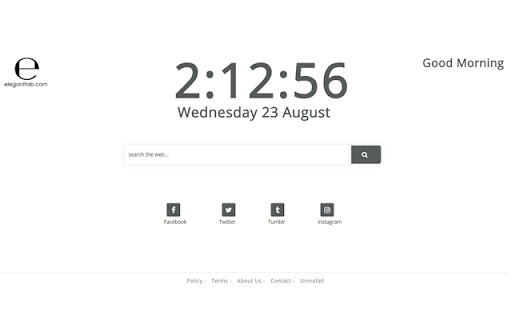
It replaces your current Chrome New Tab window with a feature packed New Tab This is a custom chrome tab extension and new tab searches are powered by Yahoo! By clicking "add to chrome", I accept and agree to installing the Elegant Tab extension and setting chrome new tab search provider to Yahoo! as described by the service in the Terms of Use https://www.ElegantTab.com/terms.html and Privacy Policy https://www.ElegantTab.com/policy.html This tool contains links to external websites that are not provided or maintained by or in any way affiliated with our company or this product. Please note that our company or this tool does not guarantee the accuracy, relevance, timeliness, or completeness of any information on these external websites. For more information visit our Terms of Use page listed below. To remove our extension from Google Chrome: 1) Click on the three horizontal lines icon in the upper right-hand corner of your Chrome browser. 2) Go to "Settings". 3) In the menu that appears click on "Extensions". 4) From the list of installed Extensions, find the name of the toolbar extension you wish to uninstall. 5) Click on the trash can icon to the right of "Enable" (for the toolbar extension you wish to uninstall). 6) Close your browser completely and reopen it. Our toolbar extension should be removed from your Chrome browser.

Speed Dial
Speed Dial changes standard page to the new tab page with your saved bookmarks. The Speed Dial expansion changes standard browser tab to beautiful new tab page with Visual Bookmarks. The main advantage of Speed Dial in comparison with the standard page is that you can add the links to the websites of your choice so you always have direct access to them. And also you can sort the icons of already added links. Our expansion also adds the search bar. The page layout can be changed in the expansion settings, you can also change the search engine used for the search bar. Thanks to "import and export" function your visual bookmarks will not be lost after browser or system reinstallation. This function also allows you to transfer your saved bookmarks to other computers with New Tab Page installed instead of standard page.

Octane Dashboard
A Chrome extension that replaces the default new tab dashboard with a customized, feature-rich interface. Octane, a Chrome extension, is an essential tool for modern-day internet users looking to improve their productivity and add a touch of personalization to their browsing experience. Octane offers a range of features, including a to-do list, weather widget, built-in search bar, and custom themes, making it an excellent option for those looking to streamline their work and personalize their browsing experience. The to-do list feature in Octane allows users to keep track of their tasks and prioritize their day effectively. The weather widget keeps users informed of the current weather conditions, which can be useful for making plans and avoiding surprises. The built-in search bar allows users to perform searches directly from the new tab page. Customizing the theme of Octane gives users the opportunity to personalize their browsing experience and make it unique to their tastes. The option to change the background image adds an extra touch of customization, allowing users to set a picture of their choice as their background. Octane is not only feature-rich but also user-friendly, lightweight, and does not consume a lot of resources. This ensures a seamless browsing experience for users. One of the best things about Octane is that you don't need to create an account to start using it, and it's completely free. This makes it an excellent alternative to popular productivity tools and dashboards, allowing users to access all the necessary information and features in one place, right from their browser.

New Tab Page Extension
Transform your Chrome New Tab with PresentBoard! Pick from stunning dashboards or create your own with free, customizable widgets. Tired of boring new tabs? PresentBoard lets you customize your new tab page with a wide range of useful widgets, making it your gateway to a more organized and efficient workflow. Personalize Your New Tab with Dozens of Free Widgets: ✔ Stunning, dynamic, and calming backgrounds ✔ World clocks ✔ Daily quotes ✔ To-Do lists, Checklists & Notes ✔ Agenda, Monthly, Weekly & Yearly Calendars ✔ Bookmarks & Shortcuts to your favorite websites ✔ Countdowns ✔ Live Weather updates ✔ News headlines ✔ Stock prices, Graphs & KPIs ✔ Google Analytics & Google Photos integrations ✔ Custom data aggregation (JSON, CSV, etc.) with graph views ✔ Embedded websites and much more—all in one place! ★ Your Privacy Matters: Minimal Permissions, Maximum Security ★ Unlike other extensions, PresentBoard only requires the "replace new tab" permission. This ensures your browsing data stays completely private. ★ Seamless Integrations: Google Calendar, Google Photos, Google Analytics ★ Seamlessly integrate your Google Calendar and iCal sources for real-time event synchronization. Set your Google Photos as rotating backgrounds and preview insights from Google Analytics right on your dashboard. ★ Search Google & ChatGPT side by side ★ You can search for information using Google and ChatGPT simultaneously—giving you the best of both worlds: Google's vast search capabilities and ChatGPT’s intelligent responses. ★ Customization like no other ★ With PresentBoard, you have complete control over how your dashboard looks and functions. Whether you prefer a clean and simple layout or a feature-packed dashboard, you can easily customize your dashboard to meet your needs. Choose from almost 20 different widgets and place them anywhere on the dashboard in any size you want. ★ LATEST UPDATES ★ Spring 2026 - Tons of new features - New Pomodoro Widget - Google Search with ChatGPT & Gemini side by side Winter 2025/2026: - New AI Chatbot widget - New Dashboard Launcher widget - Added Quick Launcher Views in many widgets - Google Tasks integration into check list widget Autumn 2025: - Stability, performance improvements - Bug fixes Summer 2025: - Better screen size adaptation - Stability & performance improvements Spring 2025: - New introduction video available! - Expanded widget library with new options for media, stocks, and charts. - Improved design for menus and quick edit buttons. - Numerous bug fixes for enhanced usability. - Enhanced iCalendar integration with filtering options. - New aggregators in Google Analytics widget. - Improved Bookmarks widget and Chrome API usage. - Most visited & Recently closed wesites now available within Bookmarks widget. Present Board is still getting improved. Please leave me a feedback in the support tab. Thank you for using Present Board!

Halal Tab
Replace new tab page with a personal dashboard to help you get focused and keep you motivated with motivational Quran Ayahs. What if every new tab could calm your mind and increase your Motivation? Halal Tab is there for you. follow Islamitude for more updates on Halal Tabs and Explore other Islamic Apps.
