
aamaonobacmhfnfbiihlmelncgefbhma
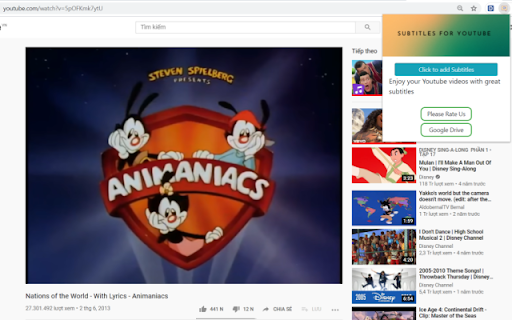
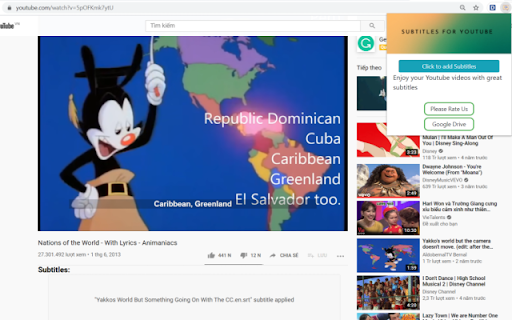
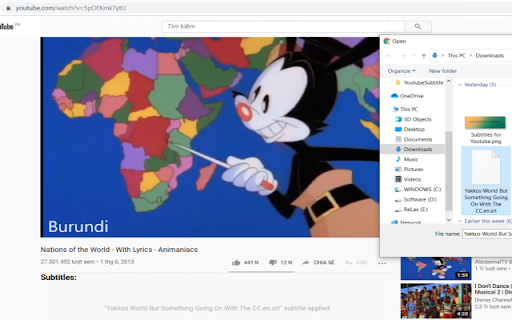
Use this extension to add subtitles available to user to any YouTube video Subtitles for Youtube Want to use your own custom subtitles for Youtube videos? Want to watch a Youtube video which is in a foreign language? There are a lot of volunteers who are kind enough to manually make subtitles for popular Youtube videos. Using our software extension, you can use these manually translated subtitles on the Youtube videos instead of relying on auto-generated subtitles which are not as accurate/do not capture the context of the video correctly. To begin using this software, here is what you need to do Install our software extension Go to the Youtube video page you want to see subtitles for Click on our extension icon and upload the subtitle file manually from your computer Play the Youtube video and the subtitles will display at the bottom of the video. Disclaimer: Please note this extension is NOT made by Google and is made by an independent development team. All copyrights belong to their respective owners. Google doesn’t endorse or sponsor this Chrome extension. Subtitles for Youtube is not owned by,it is not licensed by and is not a subsidiary of Google Inc.

YouTube Anti Translate
A small extension to disable YouTube video titles/audio/descriptions autotranslation. YouTube title translation is helpful for beginners, but once you know the language well enough to understand original titles, it quickly becomes frustrating. Even worse, there's no proper way to disable this — unless you change your YouTube country, which messes up your recommendations and trends. This extension fixes the problem. Over 100,000 users trust it to restore YouTube the way it was meant to be. ✨ Restores original video titles instead of auto-translated ones 📝 Restores original video descriptions and chapters 💬 Restores original subtitles (untranslates captions) 🖼️ Restores original video thumbnails 🎨 Restores original channel branding, headers, and channel names 🔇 Disables automatic audio translations (dubbing) 📱 Supports YouTube Shorts — restores both audio and titles 📱 Also works on mobile (m.youtube.com) — untranslates both titles, descriptions, and audio (beta) 🔔 Fixes translations in notifications 🌐 Works everywhere — homepage, embedded videos, youtube-nocookie.com, and more ⚙️ Works automatically — no configuration or API keys needed 🎯 Advanced settings — whitelist specific channels to keep translations if needed 🧼 Lightweight and safe — clean code, no tracking, open source Chrome for Android doesn't support extensions, but you have two options: 1️⃣ Firefox for Android (Recommended): • Install Firefox • Visit FireFox page of this extension: https://addons.mozilla.org/firefox/addon/youtube-anti-translate-mv3/ • Install this extension • Open YouTube and enjoy! 2️⃣ Kiwi Browser: • Install Kiwi Browser • Open Kiwi and go to this page (Chrome Web Store) • Install this extension • Open YouTube and enjoy! 💖 This is a completely free, open‑source project maintained by volunteers. If the extension has helped you, please consider supporting the original creator at https://www.patreon.com/zpix1 or the maintainers at https://github.com/zpix1/yt-anti-translate. Firefox version: https://addons.mozilla.org/ru/firefox/addon/youtube-anti-translate-mv3/ GitHub page: https://github.com/zpix1/yt-anti-translate No more awkward or misleading title translations — get YouTube back the way it was meant to be. ____

YouTube Tags
The extension to view the tags of any YouTube video Browse the tags of any YouTube video with the YouTube Tags. Use your browser as before, because the extension for viewing tags from YouTube video does not affect its performance. Note: don't forget to reload the YouTube page after installing the extension.

Youtube Subtitle Navigation
To help to navigate the video via subtitles To show the youtube subtitles in a scroll view. And you can click the subtitle to navigate to any point of the video

YouTube Subtitle Downloader
Youtube Subtitle Downloader: download subtitles from YouTube easily. Extract, copy or download with the youtube subtitle downloader YouTube Subtitle Downloader makes it easy to download subtitles from YouTube. Before downloading or copying, the extension lets you customize how subs look: show timestamps, set line length, and choose between TXT, SRT, or VTT formats. 🚀 Quick Start Tips 1. Install extension by button “Add to Chrome” 2. Open any youtube video 3. Click button on panel of Video (green button) 4. Download youtube subtitles Features 📁 Formats: SRT, VTT, TXT. Download subs as SRT, VTT, TXT file. 📥 Download YouTube subtitles 📋 Copy YouTube caption to clipboard 🔠 Dual subtitles support 🌍 Translating into 150+ languages 📏 Adjust caption line length ⏱️ Toggle timestamps. Show or hide timecodes. 🔃 Auto-scroll with playback: Subtitles follow the video and highlight line. 🖱️ Click to jump: Click any subtitle block to skip to that moment in the video. 🌓 Light and dark theme Who Is It For? 🎥 Creators. Download subtitles from youtube, translate them, and re-upload to your own videos for global reach. 🌐 Translators. Use dual-subtitle mode and translation to work faster with accurate source context. 🧠 Language Learners. Compare original and translated subtitles in real time while watching. 🎓 Students & Educators. Extract transcripts for lectures, educational videos, and study materials — perfect for test prep, note-taking, and research. Formats for downloading YouTube subs: ▪️ SRT — Subtitle file with timestamps ▪️ TXT — Flexible plain text format ▪️ VTT — WebVTT format for online video players 📌 How to get a transcript of a YouTube video? 💡 With Youtube Subtitle Downloader, you can easily generate a full YouTube video transcript in just one click. Open any video, activate the extension, and export the transcript as a TXT or SRT file. Perfect for studying, quoting, or saving key insights. 📌 How to download subtitles from YouTube? 💡 Simply install the extension, open a video, and click the “Subs” button. You’ll be able to download subtitles from YouTube in either SRT or plain text format. Great for anyone looking for a fast, easy YouTube subtitles download tool. 📌 How to get YouTube video script? 💡 This extension acts as a powerful video script extractor. It converts subs into clean text that can be copied, edited, or reused as a full script for content creation, translation, or study. 📌 How to download transcript from YouTube? 💡 Use the extension to download transcript files with or without timestamps. It's a fast and accurate transcript downloader that works directly on the video page. 📌 How to download captions from YouTube? 💡 With this tool, you can download captions — whether they're auto-generated or manually added — and save them in the format you prefer. It also works as a YouTube caption downloader for multilingual transcripts and translations. 📌 Is the extension free to use? 💡 Yes, extension is available as a free Chrome extension. 📌 Is my privacy secure with this extension? 💡 The extension collects only a generated identifier using the FingerprintJS library and your email. This data is not shared with anyone and is only stored on the server for identification. Technical Details: 🆙 Use Chrome version 70 or higher to ensure the extension plays clips without any issues. 🔒 Youtube Subtitle Downloader is built on Manifest V3, providing maximum security, privacy, and performance for you. 🏆 It follows all Chrome Web Store guidelines to be high-quality, trustworthy, and safe. The Feature badge from Google confirms this. 👨💻 The extension is developed and maintained by professional developer Anton Khoteev with over 10 years of experience in web development. We follow three key principles: be safe, be honest, and be useful. You can contact developer via: - email aahoteev@gmail.com - Telegram @antonkhoteev
