
aaekanoannlhnajolbijaoflfhikcgng
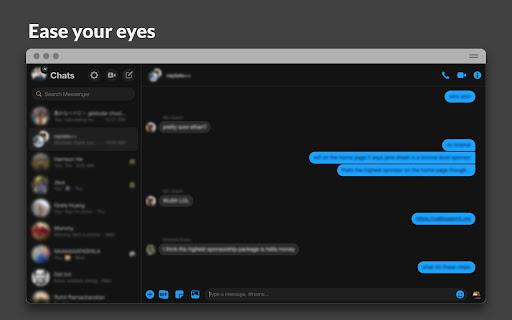


Unofficial Messenger dark mode. Easily swap between dark and light mode. Use Charcoal to experience Messenger (messenger.com) in dark mode. Toggling dark mode with any theme is easy: click on the Messenger icon on the top left of the web page, and set your preference. Features: Messenger icon toggle on the top left of the web page to access preferences. Choose between 3 themes: Charcoal, Midnight, and Deep Blue. Change dark or light appearance whenever you want, or set dark mode based on your device's setting.

Dark Theme for Google™
A highly customizable dark theme for Google products (search, images, translate, and contacts) "Dark Theme for Google" extension brings a customizable dark theme to some of the Google services such as Google Search and Google Images. The extension supports all localized Google domains. Using this extension you can customize many colors including background and link colors on the options page of the extension if you don't like the default configuration. Features: 1. You can define a period for the extension to automatically activate the dark theme 2. You can append your custom CSS rules to the default dark theme from the options page 3. You can ask the extension to automatically follow the system color scheme (turn dark theme on when the preferred color scheme is dark and turn it off when not) (this feature uses the JavaScript's matchMedia method to install a listener for prefers-color-scheme). 4. Supports "Calendar" and "Messages" services (as of version 0.5.0) -- This extension is an independent open-source project and is not related to Google Inc in anyways.

ESUIT | Un Seen for Facebook™
Guard Your Privacy on Facebook and Messenger with this extension This Unseen extension provide: Block the ”Seen” feature Block the "Typing..." indicator Anonymous viewing of stories Have your friends been mad at you because they noticed you saw their message, and you didn't respond to it? Have you ever wished to use the messenger without people noticing if you have read their messages? Install this software extension and when you use Facebook Messenger on the desktop browser, our software will completely remove the “seen” feature from the messenger. So your friends won’t be able to tell if you read their messages. Hides the ”Seen” feature from Facebook™ chat and Messenger of your friends. Blocks Delivery receipts... Now your friends will not know have you read their messages or not. Additional Features: In the Popup, we provide the following additional features: Relevant-Ext: We provide brief recommendations and introductions to relevant extensions in a small section. Encountering an issue? Report it to us 💪: If you encounter any issues, you can get in touch with us through this link, and we will assist you in fixing it. Warning Facebook™ is a trademark of Facebook Inc., registered in the U.S. and other countries. This is an independent project developed by ESUIT. and has no relationship to Facebook™ or Facebook Inc. this extension is not officially developed by Facebook™, The author is @William Chen Got feedback or experiencing any issues? Let us know on Facebook! Your input is important to us and we're here to help. https://www.facebook.com/esuitdev

Dark Night Mode
It is a night mode for the entire Internet. It darkens all the websites you visit so that you can browse without straining your eyes Dark Night Mode is a Free Open Source Software which makes all the websites you browse into dark/night mode so that you can browse the internet without straining your eyes. It is an extremely useful chrome extension for those who use internet especially at night. We use a unique algorithm to apply dark mode to all the websites in real-time as you browse. It basically detects the color of each element of a website and intelligently converts it to a darker shade. Bright colors are darkened at more intensity than dark colors so that most of the colors are preserved. Unlike other similar extensions, we do NOT invert the colors, so black websites will not change its color into white. An added benefit is that the images will also not be distorted! I think we were hit by the one-star-bot-ratings because we were the only extension to have this intelligent-algorithm. Now, after this extension became popular, one another super famous extension have copied this feature of ours. We have also put immense effort in eliminating the flashes of bright white screen while loading different websites. It was a challenging task due to the limitations of chrome, but we were able to eliminate this problem with 99.9% success rate. Using the brightness slider, you can adjust the brightness of your browser beyond what your computer's brightness adjuster allows. This is useful in dimming the brightness to your likening. For example, by default the images are shown with normal color, but you can darken it by sliding down the brightness slider. There is also an Auto mode which will automatically turn on the Dark Mode at night 8:00PM and will turn off at morning 6:00AM. It was complicated to develop an option to customize this timing, but we are working on it and may add this option in the future versions. There is also Whitelist feature which can be helpful if you do not want the dark mode to work on certain websites. Since this extension will darken all the websites you visit at night, you will initially not enjoy it due to the huge change in your routine. However, our internal studies have shown that people start getting used to it after about three weeks of use. Some people have claimed that this extension helps them sleep better while some others have said that it helped them reduce the burning sensation in their eyes caused by extensive browsing of the internet in the dark. This plugin is NOT 100% perfect. It never will be perfect because many websites are developed in a non-standard fashion and there is no easy way to detect a site and perfectly change its colors in real time withing milli-seconds so that the user do not see the bright colors. It is a double edged sword - If we add more conditions to make the algorithm smarter, then it will affect the processing speed and the user will see flashes of white light, so we had to make some choices to get an optimal balance. If you want your browser window to also look black similar to how it is shown in the screenshots, then you must install a Dark Chrome theme as well. We suggest to search "Morpheon Dark Theme" and install it in google chrome. It took us - two developers two whole months of full time developmental efforts to conceptualize, design, code, test, calibrate and deploy this extension. We had initially started it as a side project aiming to make it in couple of days, but it ended up taking significantly more time than expected! We hope you enjoy it.

nightTab
A neutral new tab page accented with a chosen colour. Customise the layout, style, background and bookmarks in nightTab. Features: - Display the time, date and a search bar in the header. - Present any number of bookmark tiles organised in groups. - Customise the layout, background image or video, theme, font and accent colour. - Backup your setup to a local file. nightTab does NOT collect or use your personal or browser data in any way.
