“Chụp landing dài mà không bị vỡ layout như các tool cũ. PDF gửi khách trong một phút—đúng thứ mình cần.”
FullPage extension
Full-page screenshots in one click
Capture any page instantly—right inside your browser.
Export PNG, PDF, or social-ready formats in seconds.
Works on Chrome · No signup · Takes 2 seconds
🔒 yoursite.com/product — Chrome


Captured and shared by our users
Real full-page grabs from the FullPage extension—shared when creators opt in.
How it works
From toolbar to export in seconds
Three steps—capture, stitch, share—without leaving your tab. Built for speed on Chrome.
1
yoursite.com/article
Tap the icon on any tab
Click the extension on the page you’re viewing.
2
Full page capture
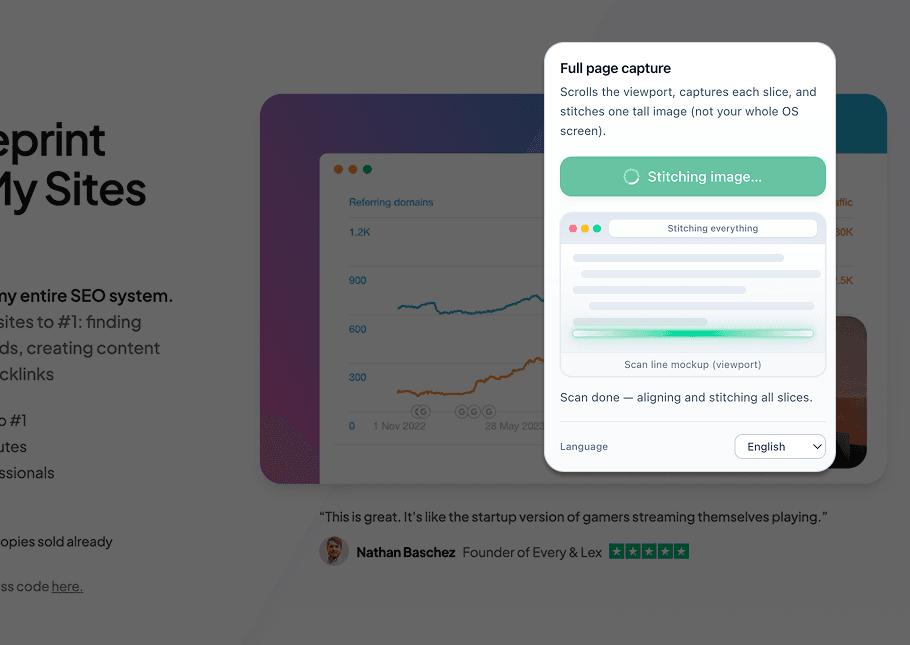
Scrolls the viewport, captures each slice, and stitches one tall image (not your whole OS screen).
Stitching image…
Stitching everything
Scan line mockup (viewport)
Scan done — aligning and stitching all slices.
Language
While it works, the extension popup shows progress—live stitch status in one place.
3
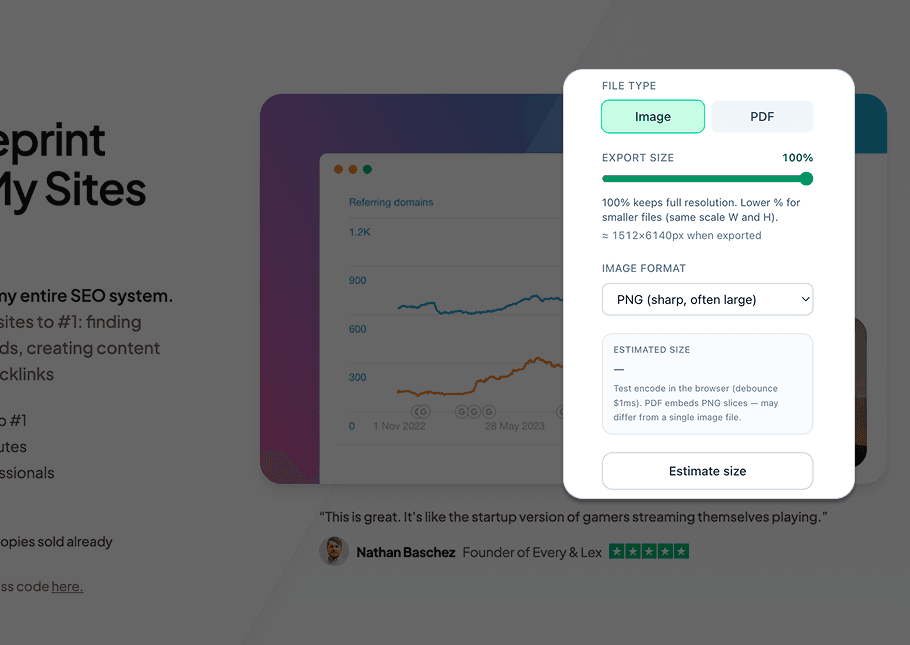
Same export panel as after capture—pick image or PDF, scale, then download.
After capture
Choose format, size, then download
When stitching finishes, the extension opens a panel like this—pick image or PDF, tweak scale, and export without leaving the page.
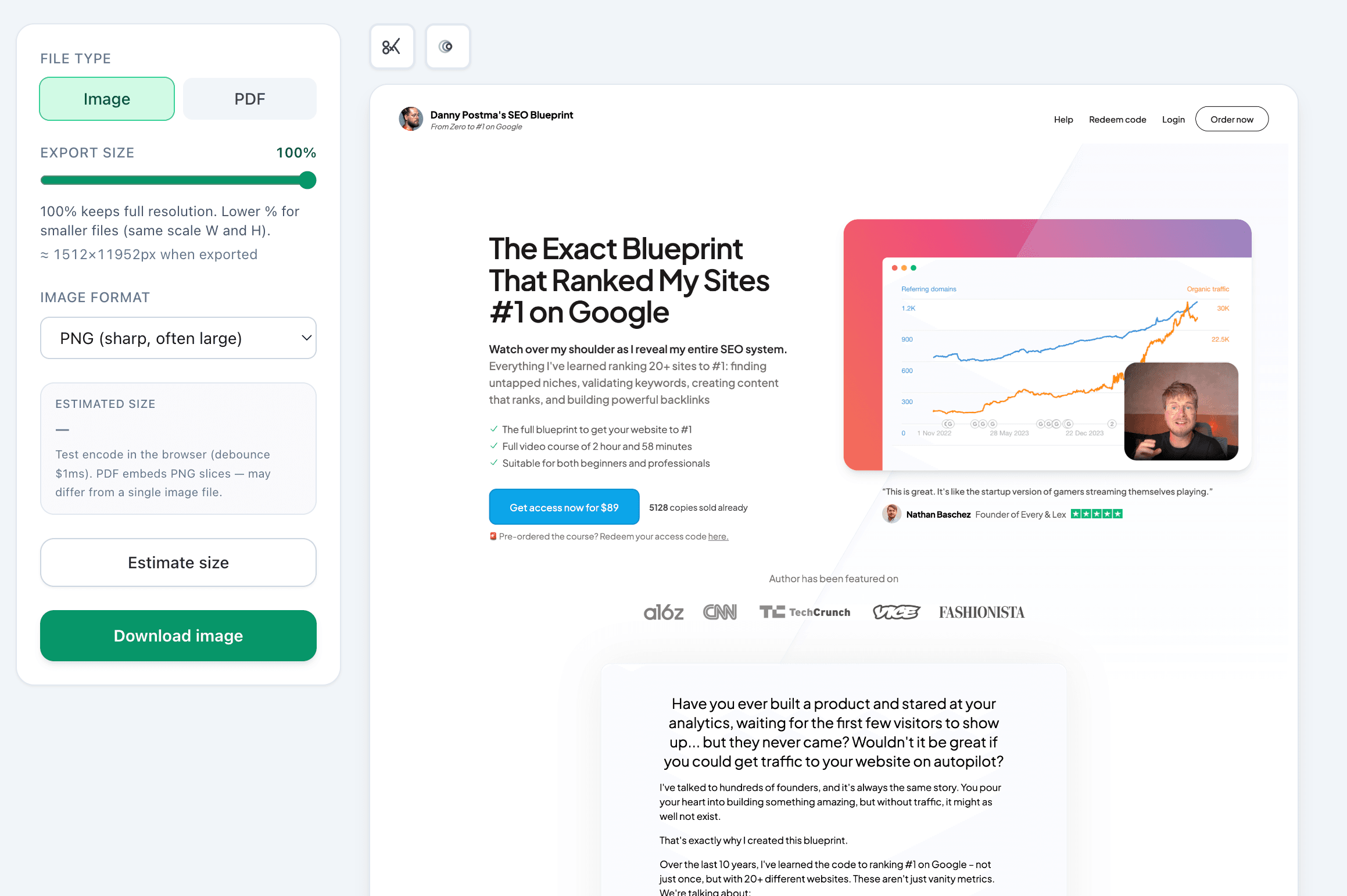
Screenshot of the full export panel and page preview after capture.
Built for speed
Everything you need for full-page capture—nothing bloated.
One-click capture
Trigger from the toolbar—no context switching.
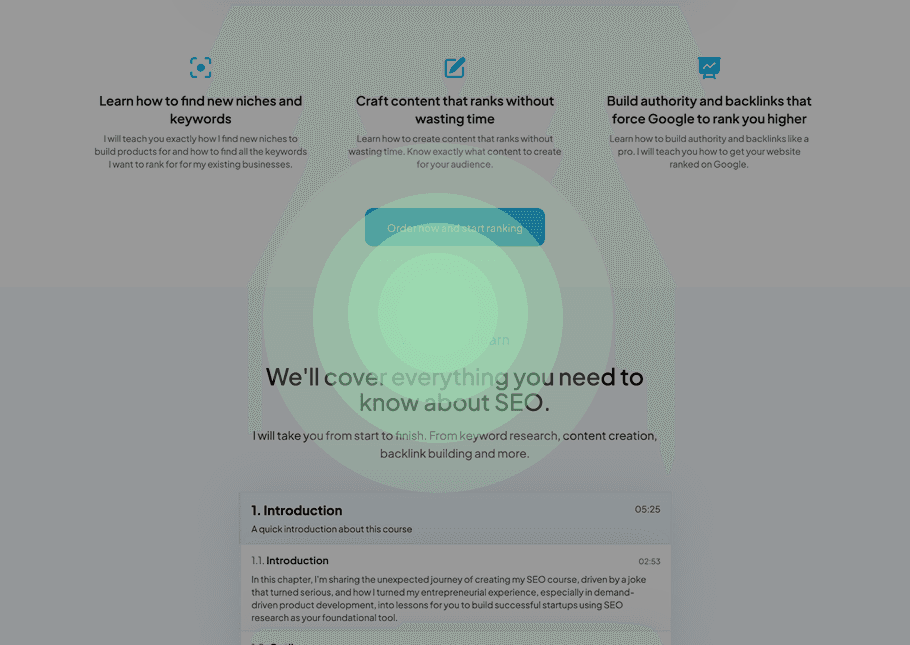
Smart scroll stitching
Long pages, lazy sections—one seamless shot.
Multiple export formats
PNG, PDF, and presets for feeds.

Works on any website
Marketing sites, apps, anything in Chrome.
Export for every use case
One capture—ship it to feeds, docs, or marketing in the right format.
Social-ready exports
PNG, PDF, and presets tuned for feeds—from the same capture you already took.
Documentation friendly
Image or PDF, scale control, and size hints—perfect for handbooks, audits, and long archives.
High-resolution assets
Viewport slices stitched into one tall, sharp image for decks, reviews, and pixel-perfect handoff.
From capture to sharing
Export locally first. Opt into the showcase when you want your page discovered— always your choice.


Reviews
How people use the extension
Twenty-plus illustrative quotes from designers, marketers, and developers—two slow marquee rows, same rhythm as the showcase.
“Trang có lazy-load vẫn stitch được—trước giờ toàn phải screenshot tay từng đoạn. Tiết kiệm thời gian rõ rệt.”
“Mình dùng để lưu biên bản UI trước khi deploy. Một click từ thanh công cụ, không làm phiền flow làm việc.”
“Portfolio Behance dài—giờ export một phát cho recruiter. Màu và typography giữ nguyên so với web.”
“Docs kỹ thuật dài trên Notion public chụp được nguyên khung—tiện cho handbook nội bộ.”
“Làm reel ‘before/after’ landing: hai full page cạnh nhau, khách hiểu ngay value prop.”
“Webinar registration page sau A/B test—lưu bản chụp vào Drive để so chiến dịch quý sau.”
“Newsletter archive phải lưu compliance—PDF full page từ bài gốc giúp audit nhanh.”
“So sánh pricing table đối thủ cho sales deck—chụp nguyên trang không cần DevTools.”
“Design system microsite: snapshot toàn component page cho audit nhất quán tokens.”
“Pitch deck minh họa hero section các landing trong cùng fund—thống nhất visual.”
“Chụp landing dài mà không bị vỡ layout như các tool cũ. PDF gửi khách trong một phút—đúng thứ mình cần.”
“Trang có lazy-load vẫn stitch được—trước giờ toàn phải screenshot tay từng đoạn. Tiết kiệm thời gian rõ rệt.”
“Mình dùng để lưu biên bản UI trước khi deploy. Một click từ thanh công cụ, không làm phiền flow làm việc.”
“Portfolio Behance dài—giờ export một phát cho recruiter. Màu và typography giữ nguyên so với web.”
“Docs kỹ thuật dài trên Notion public chụp được nguyên khung—tiện cho handbook nội bộ.”
“Làm reel ‘before/after’ landing: hai full page cạnh nhau, khách hiểu ngay value prop.”
“Webinar registration page sau A/B test—lưu bản chụp vào Drive để so chiến dịch quý sau.”
“Newsletter archive phải lưu compliance—PDF full page từ bài gốc giúp audit nhanh.”
“So sánh pricing table đối thủ cho sales deck—chụp nguyên trang không cần DevTools.”
“Design system microsite: snapshot toàn component page cho audit nhất quán tokens.”
“Pitch deck minh họa hero section các landing trong cùng fund—thống nhất visual.”
“Chụp landing dài mà không bị vỡ layout như các tool cũ. PDF gửi khách trong một phút—đúng thứ mình cần.”
“Trang có lazy-load vẫn stitch được—trước giờ toàn phải screenshot tay từng đoạn. Tiết kiệm thời gian rõ rệt.”
“Mình dùng để lưu biên bản UI trước khi deploy. Một click từ thanh công cụ, không làm phiền flow làm việc.”
“Portfolio Behance dài—giờ export một phát cho recruiter. Màu và typography giữ nguyên so với web.”
“Docs kỹ thuật dài trên Notion public chụp được nguyên khung—tiện cho handbook nội bộ.”
“Làm reel ‘before/after’ landing: hai full page cạnh nhau, khách hiểu ngay value prop.”
“Webinar registration page sau A/B test—lưu bản chụp vào Drive để so chiến dịch quý sau.”
“Newsletter archive phải lưu compliance—PDF full page từ bài gốc giúp audit nhanh.”
“So sánh pricing table đối thủ cho sales deck—chụp nguyên trang không cần DevTools.”
“Design system microsite: snapshot toàn component page cho audit nhất quán tokens.”
“Pitch deck minh họa hero section các landing trong cùng fund—thống nhất visual.”
“Chụp landing dài mà không bị vỡ layout như các tool cũ. PDF gửi khách trong một phút—đúng thứ mình cần.”
“Trang có lazy-load vẫn stitch được—trước giờ toàn phải screenshot tay từng đoạn. Tiết kiệm thời gian rõ rệt.”
“Mình dùng để lưu biên bản UI trước khi deploy. Một click từ thanh công cụ, không làm phiền flow làm việc.”
“Portfolio Behance dài—giờ export một phát cho recruiter. Màu và typography giữ nguyên so với web.”
“Docs kỹ thuật dài trên Notion public chụp được nguyên khung—tiện cho handbook nội bộ.”
“Làm reel ‘before/after’ landing: hai full page cạnh nhau, khách hiểu ngay value prop.”
“Webinar registration page sau A/B test—lưu bản chụp vào Drive để so chiến dịch quý sau.”
“Newsletter archive phải lưu compliance—PDF full page từ bài gốc giúp audit nhanh.”
“So sánh pricing table đối thủ cho sales deck—chụp nguyên trang không cần DevTools.”
“Design system microsite: snapshot toàn component page cho audit nhất quán tokens.”
“Pitch deck minh họa hero section các landing trong cùng fund—thống nhất visual.”
“Team content hay cần full page cho case study. Extension chạy ngay trên tab Chrome, không phải paste link sang chỗ khác.”
“Export PNG sắc nét cho slide và doc nội bộ. Slider scale giúp giảm dung lượng khi chỉ cần xem trước.”
“Social crop sau khi capture là điểm cộng—đăng feed nhanh mà không mở thêm app chỉnh ảnh.”
“Báo cáo growth gửi sếp: chụp dashboard Analytics full page, không cắt mất metric ở dưới.”
“Theme tối / sidebar cố định trước giờ hay lệch pixel. FullPage xử lý ổn trên app nội bộ của bọn mình.”
“Handoff cho dev: chụp spec UI trong staging bao gồm footer và modal—ít tranh luận trên Slack.”
“Extension nhẹ, không bắt đăng nhập kiểu SaaS. Mình recommend cho cả team support.”
“Story Instagram kiểu tấm dài: crop có sẵn trong panel, không phải sang Canva chỉ để crop.”
“Capture blog tutorial dài một mạch để in PDF offline—đọc trên máy bay không cần mạng.”
“E2E test fail—đính kèm full page bug report cho Jira, dev tái hiện nhanh hơn video.”
“Ảnh thumb YouTube kiểu ‘full site in one frame’—thumbnail nổi bật hơn crop vuông thường.”
“Team content hay cần full page cho case study. Extension chạy ngay trên tab Chrome, không phải paste link sang chỗ khác.”
“Export PNG sắc nét cho slide và doc nội bộ. Slider scale giúp giảm dung lượng khi chỉ cần xem trước.”
“Social crop sau khi capture là điểm cộng—đăng feed nhanh mà không mở thêm app chỉnh ảnh.”
“Báo cáo growth gửi sếp: chụp dashboard Analytics full page, không cắt mất metric ở dưới.”
“Theme tối / sidebar cố định trước giờ hay lệch pixel. FullPage xử lý ổn trên app nội bộ của bọn mình.”
“Handoff cho dev: chụp spec UI trong staging bao gồm footer và modal—ít tranh luận trên Slack.”
“Extension nhẹ, không bắt đăng nhập kiểu SaaS. Mình recommend cho cả team support.”
“Story Instagram kiểu tấm dài: crop có sẵn trong panel, không phải sang Canva chỉ để crop.”
“Capture blog tutorial dài một mạch để in PDF offline—đọc trên máy bay không cần mạng.”
“E2E test fail—đính kèm full page bug report cho Jira, dev tái hiện nhanh hơn video.”
“Ảnh thumb YouTube kiểu ‘full site in one frame’—thumbnail nổi bật hơn crop vuông thường.”
“Team content hay cần full page cho case study. Extension chạy ngay trên tab Chrome, không phải paste link sang chỗ khác.”
“Export PNG sắc nét cho slide và doc nội bộ. Slider scale giúp giảm dung lượng khi chỉ cần xem trước.”
“Social crop sau khi capture là điểm cộng—đăng feed nhanh mà không mở thêm app chỉnh ảnh.”
“Báo cáo growth gửi sếp: chụp dashboard Analytics full page, không cắt mất metric ở dưới.”
“Theme tối / sidebar cố định trước giờ hay lệch pixel. FullPage xử lý ổn trên app nội bộ của bọn mình.”
“Handoff cho dev: chụp spec UI trong staging bao gồm footer và modal—ít tranh luận trên Slack.”
“Extension nhẹ, không bắt đăng nhập kiểu SaaS. Mình recommend cho cả team support.”
“Story Instagram kiểu tấm dài: crop có sẵn trong panel, không phải sang Canva chỉ để crop.”
“Capture blog tutorial dài một mạch để in PDF offline—đọc trên máy bay không cần mạng.”
“E2E test fail—đính kèm full page bug report cho Jira, dev tái hiện nhanh hơn video.”
“Ảnh thumb YouTube kiểu ‘full site in one frame’—thumbnail nổi bật hơn crop vuông thường.”
“Team content hay cần full page cho case study. Extension chạy ngay trên tab Chrome, không phải paste link sang chỗ khác.”
“Export PNG sắc nét cho slide và doc nội bộ. Slider scale giúp giảm dung lượng khi chỉ cần xem trước.”
“Social crop sau khi capture là điểm cộng—đăng feed nhanh mà không mở thêm app chỉnh ảnh.”
“Báo cáo growth gửi sếp: chụp dashboard Analytics full page, không cắt mất metric ở dưới.”
“Theme tối / sidebar cố định trước giờ hay lệch pixel. FullPage xử lý ổn trên app nội bộ của bọn mình.”
“Handoff cho dev: chụp spec UI trong staging bao gồm footer và modal—ít tranh luận trên Slack.”
“Extension nhẹ, không bắt đăng nhập kiểu SaaS. Mình recommend cho cả team support.”
“Story Instagram kiểu tấm dài: crop có sẵn trong panel, không phải sang Canva chỉ để crop.”
“Capture blog tutorial dài một mạch để in PDF offline—đọc trên máy bay không cần mạng.”
“E2E test fail—đính kèm full page bug report cho Jira, dev tái hiện nhanh hơn video.”
“Ảnh thumb YouTube kiểu ‘full site in one frame’—thumbnail nổi bật hơn crop vuông thường.”
About FullPage
Full-page capture that respects how you actually work
FullPage is a focused Chrome extension—not a hosted design suite. We care about one job: turning the tab you have open into a trustworthy, shareable asset.
Local export first
PNGs, PDFs, and crops are generated in your browser—you choose when anything leaves your machine.
Built for real pages
Long scrolls, lazy-loaded blocks, and odd layouts: stitching aims for one continuous shot, not a random OS screenshot.
Stays in your workflow
Trigger from the toolbar, tweak format and scale, then drop the file into Slack, Notion, or a deck—without juggling extra apps.